Planning Your Day
Just Got Effortless
Automatic time calculations. One-tap replanning. Detailed statistics. Engaging achievement system.
Version 3
What's New
Version 3 is Set's biggest run of updates yet: AI list scanning, an app blocker, a ground-up sync overhaul, a distraction-free focus mode, Sort Mode, a draggable + button, and an optional overdue alarm. Big thanks to Emily, whose feedback and bug reports shaped so much of it. See the full changelog →
Sort Mode
File a messy Inbox or project one decision at a time: pick what to set (project, stage, priority, duration, date) and tap through big options with nothing else on screen.
Drag the + Button
Pull the + button into your list to create a task exactly where you drop it, with a dotted line showing where it will land. Tap a stage header to aim every new task at that stage.
Overdue Alarm
Optional nagging for overrun tasks: the timer alarm repeats at an interval you choose until you complete or pause the task. Works in the background via notifications.
Focus Mode
Tap the empty space below your Today list, or the Today tab again, for a distraction-free view that hides everything but your tasks and start times. Rows go read-only. iPhone and iPad.
Quick-Add Bar on Mac
A persistent Add a task bar at the bottom of Today, every project, and the Inbox. It parses durations, dates, and times as you type, with quick priority and duration controls.
Auto-Simplify Timer
While a timer runs it collapses to just the countdown and task name. Pausing brings the controls back.
Clear Completed with a Swipe
Swipe any finished task in Today to log it, one at a time. Right-click and choose Log Task on Mac.
Scan Tasks from Image
Photograph a handwritten list, whiteboard, or screenshot and Set turns it into scheduled tasks — Apple Intelligence on supported devices, smart parsing everywhere. Reads "10.15 - Jogging" and "(30 min)" the way you meant them. Pro.
App Blocker
Shield distracting apps while your timer runs — or until every task in Today is done. Turning it off means typing a focus sentence. iPhone & iPad, Pro.
AI Notes Rewriting
One tap turns messy notes into clean structured markdown — or a clear step-by-step checklist. On-device, always revertible. Pro.
Project & Inbox PDF Export
Export any project or your Inbox as a clean PDF — stages as sections, notes in full markdown styling with your colors, black & white printing option.
iCloud Sync Overhaul
Duplicates across devices are gone, deletions stick everywhere, and sync no longer resets your scheduled times or task order.
Undo & Redo
Press ⌘Z to undo and ⌘⇧Z to redo — adding, deleting, moving, and editing tasks, across the whole app.
Planning Shouldn't Feel Like Work
Most task managers require constant mental math and manual adjustments. Set does it automatically.
Manual time planning is exhausting
Calculating when tasks will finish, adjusting for interruptions—it drains your energy before you even start.
Plans change, replanning is tedious
When something unexpected happens (and it always does), recalculating your entire schedule manually is overwhelming.
Hard to stay motivated
Without visible progress or achievements, it's difficult to maintain momentum and feel accomplished.
Why ADHD Minds Love Set
Ditch the mental arithmetic. Rebuild your schedule in one tap. Understand your productivity. Level up with achievements.
It's planning without the planning.
Automatic Time Scheduling
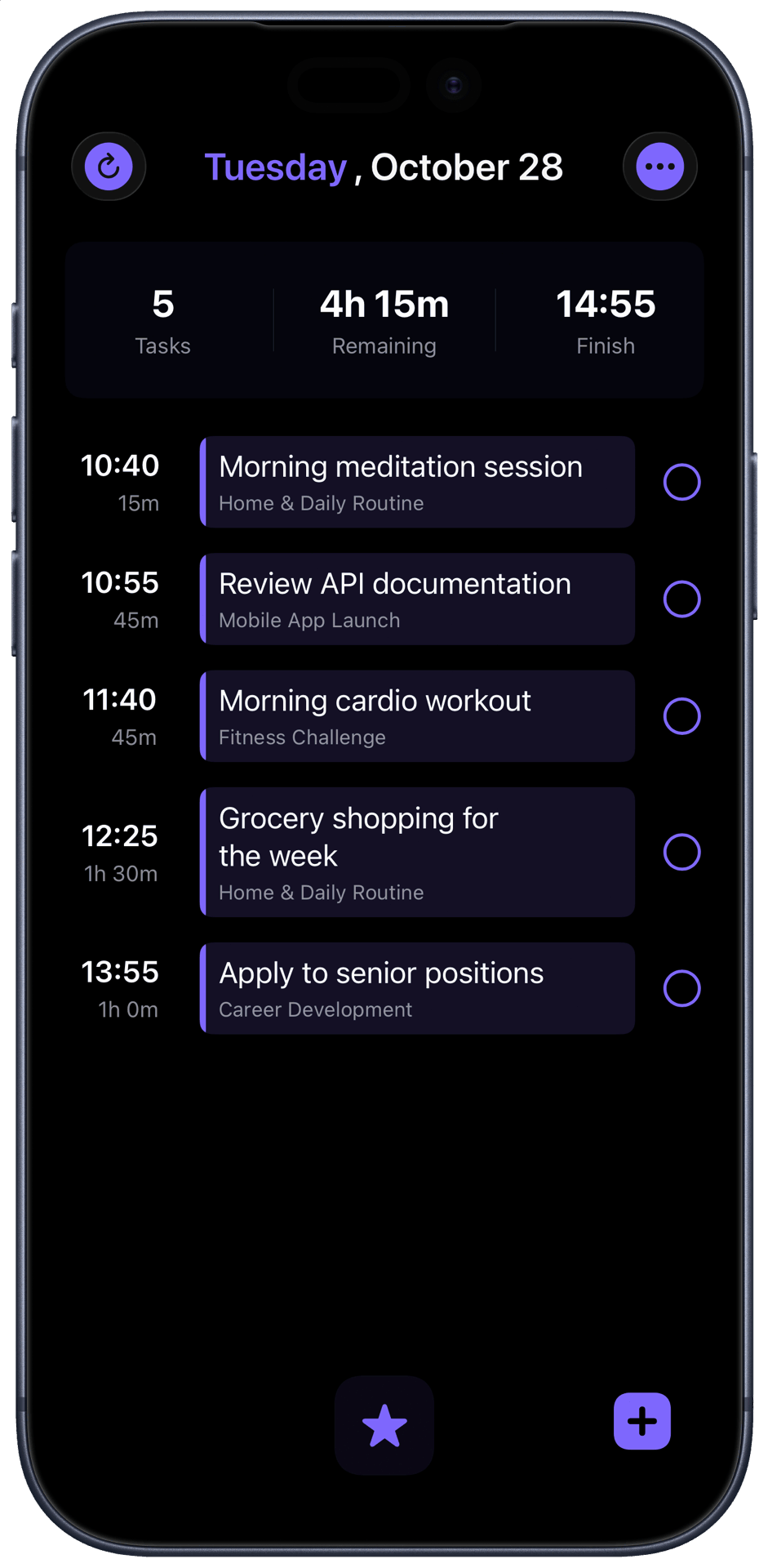
Star tasks and watch your schedule adjust instantly
- Star any task to add it to your Today view
- Drag and reorder tasks - times update automatically
- See exactly when each task begins and ends
- Skip the math - everything's calculated for you
Smart Notifications & One-Tap Reschedule
Running behind? Recalculate your entire day in seconds
- Get smart reminders when tasks run overdue
- Tap once to instantly rebuild your timeline
- Stay flexible - perfect for unpredictable days
- Keep your flow going without stress
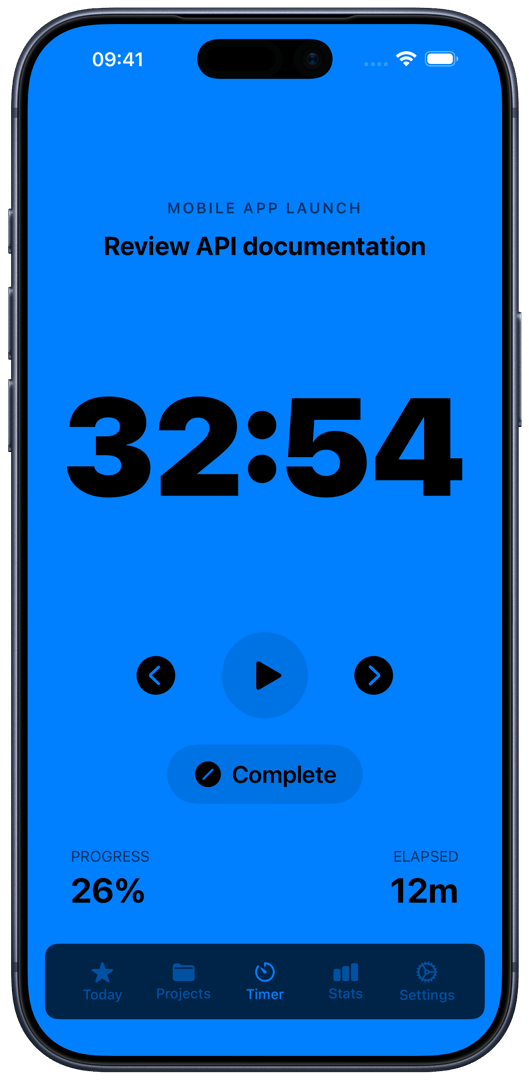
Flexible Task Timer
Track exactly how long tasks take - no arbitrary intervals
- Not every task fits in 25 minutes - track real work time
- Toggle between elapsed and remaining time
- Long-press background for minimal mode - just the timer
- Optional white noise and dark mode for focus sessions
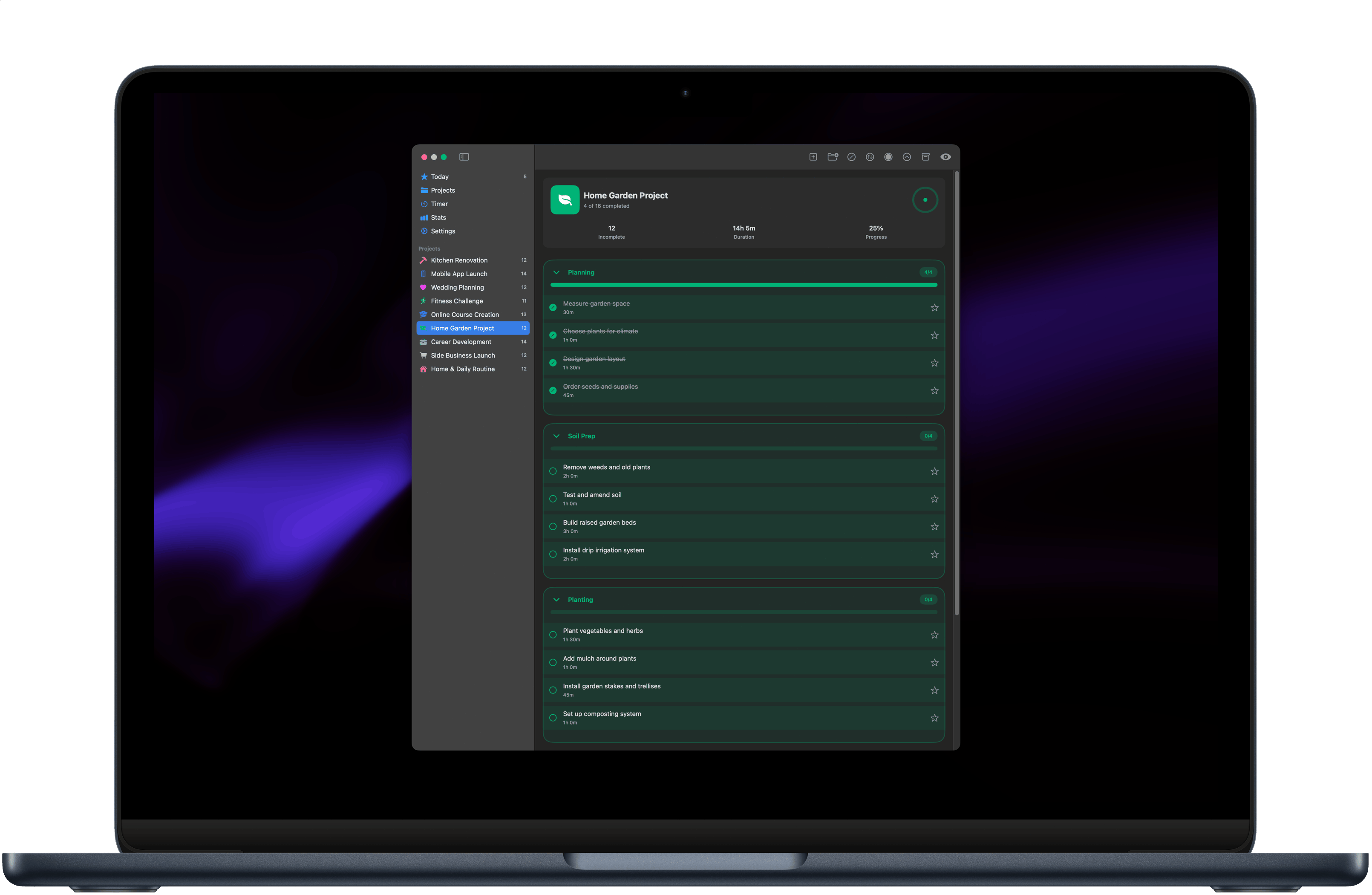
Projects & Stages
Tackle complex goals one phase at a time
- Break big projects into smaller, clear stages
- Track progress with project and stage progress bars
- Move tasks between stages with simple drag & drop
- Stay organized and see progress unfold
Productivity Insights
Visualize your habits and progress over time
- Monthly calendar inspired by GitHub activity grids
- Track tasks, durations, and focus time automatically
- Analyze daily, weekly, and monthly productivity trends
- Build streaks and see your growth in real time
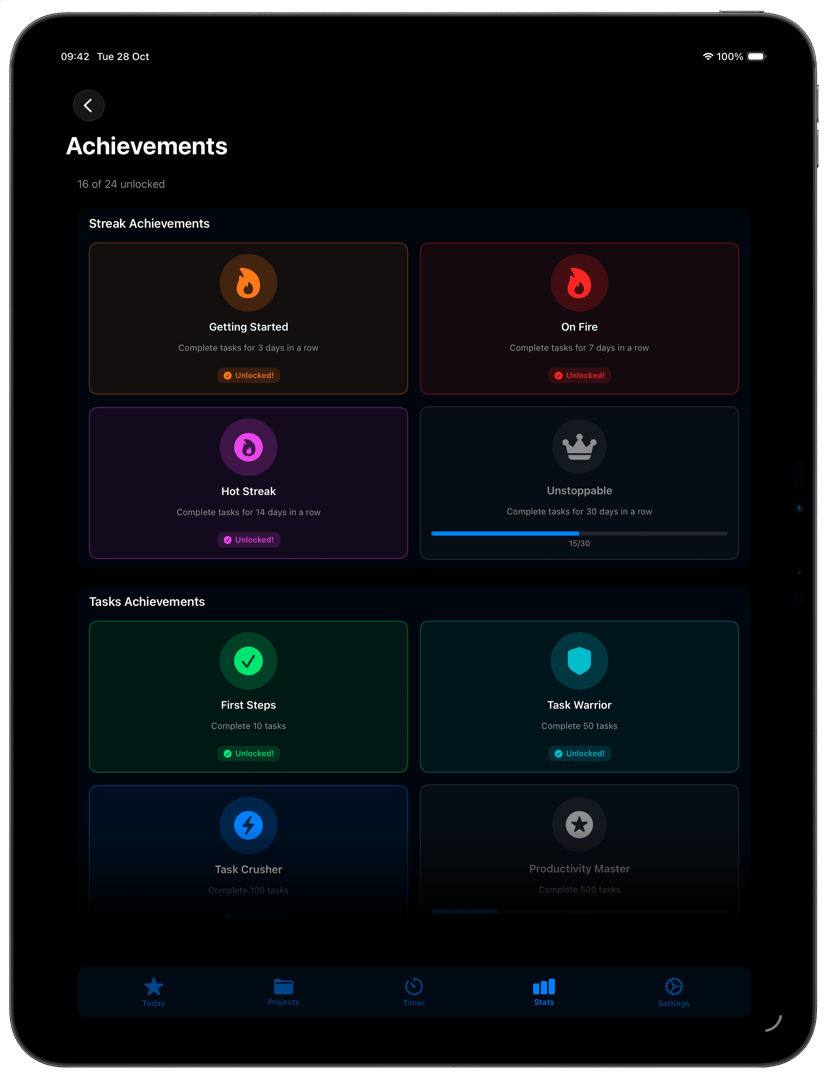
Achievement System
Make productivity feel like a game
- Earn achievements across six unique categories
- Reach milestones for streaks, tasks, breaks, and more
- Enjoy beautiful animations when you level up
- Track 24 total achievements with rarity tiers
Achievement Gallery
See your milestones and progress in one place
- View both locked and unlocked achievements
- Track your progress toward the next milestone
- Filter by category like streaks, tasks, or focus time
- Celebrate every win - big or small
Bulk Task Management
Enter select mode to edit multiple tasks at once
- Boost your productivity with lightning-fast bulk edits
- Update priority, project, or duration in bulk
- Star, move, or delete multiple tasks easily
- Perfect for quick inbox cleanup
Custom Themes
Make the app truly yours with personalized styles and settings
- Choose from stunning color themes and interface styles
- Enjoy light, dark, and pure black modes
- Customize notification styles to match your vibe
- Exclusive for Pro users
Your Tasks, Everywhere You Work
Set works seamlessly across all your Apple devices with automatic iCloud sync.
Start on your iPhone, continue on your Mac, review on your iPad.
Automatic Sync
Changes sync instantly across all your devices with iCloud
Universal Purchase
Buy once, use on iPhone, iPad, and Mac
Privacy First
Your data stays on your devices, encrypted by Apple
Why it works
Designed for how your brain actually works
Set wasn't built from a productivity textbook. It was built around real, distractible, time-blind brains — and a lot of its users (and its maker) have ADHD.
⏱️ Time made visible
Time blindness means "three tasks" never feels like "my whole afternoon". Set turns every task into time on a timeline — you see when things start, finish, and when your day realistically ends. Overcommitting stops being a surprise.
🚀 Starting is the hard part
The flexible timer isn't a stopwatch judging you — it's a body double. Start it and the next right thing is already decided. Brown noise and focus tones give restless minds a floor to stand on.
🧘 No guilt, no confetti
Deliberately neutral: no streak-shaming, no "you're almost there!!". Completed tasks tick off quietly; unfinished ones roll forward without commentary. A system you can return to after a bad week — without shame.
🛡️ Friction where it helps
Adding a task is instant — type "gym at 6pm 45m" and it's scheduled. But switching off the App Blocker mid-wobble takes typing a sentence about your goals. Impulses are fast; typing is slow. That asymmetry is deliberate. (App Blocker is new in version 3.)
Want the deeper reasoning? Why time blocking works for ADHD · Time blindness, explained · The best to-do apps for ADHD
Ready for Effortless Planning?
Experience task management designed for the way you think.